

Deployment topologies
DioscHub runs in one of two shapes. A single instance is the default and covers most deployments. A cluster of identical instances is for high availability and horizontal scale, and is an Enterprise capability. This page describes both, what each requires, and where DioscHub sits relative to its dependencies.
Single instance (default)
Section titled “Single instance (default)”One DioscHub container and one Postgres database. Nothing else is required — no Redis, no coordination layer, no second service. This is the baseline, and it is what you get unless you explicitly turn cluster mode on.
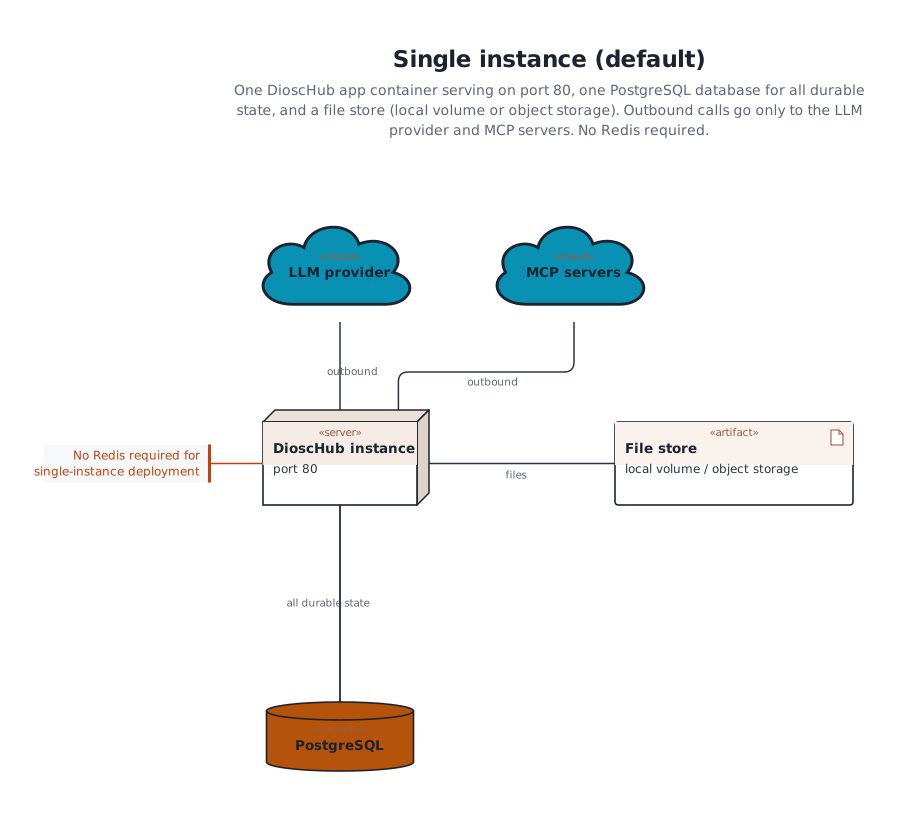
Durable state lives in Postgres and in the file store. If you use the local file store, its directory is a volume you must keep across restarts (see Install & run). A single instance handles conversation state, approvals, and history entirely through Postgres, so a restart loses nothing that was committed.
When you need more than one instance
Section titled “When you need more than one instance”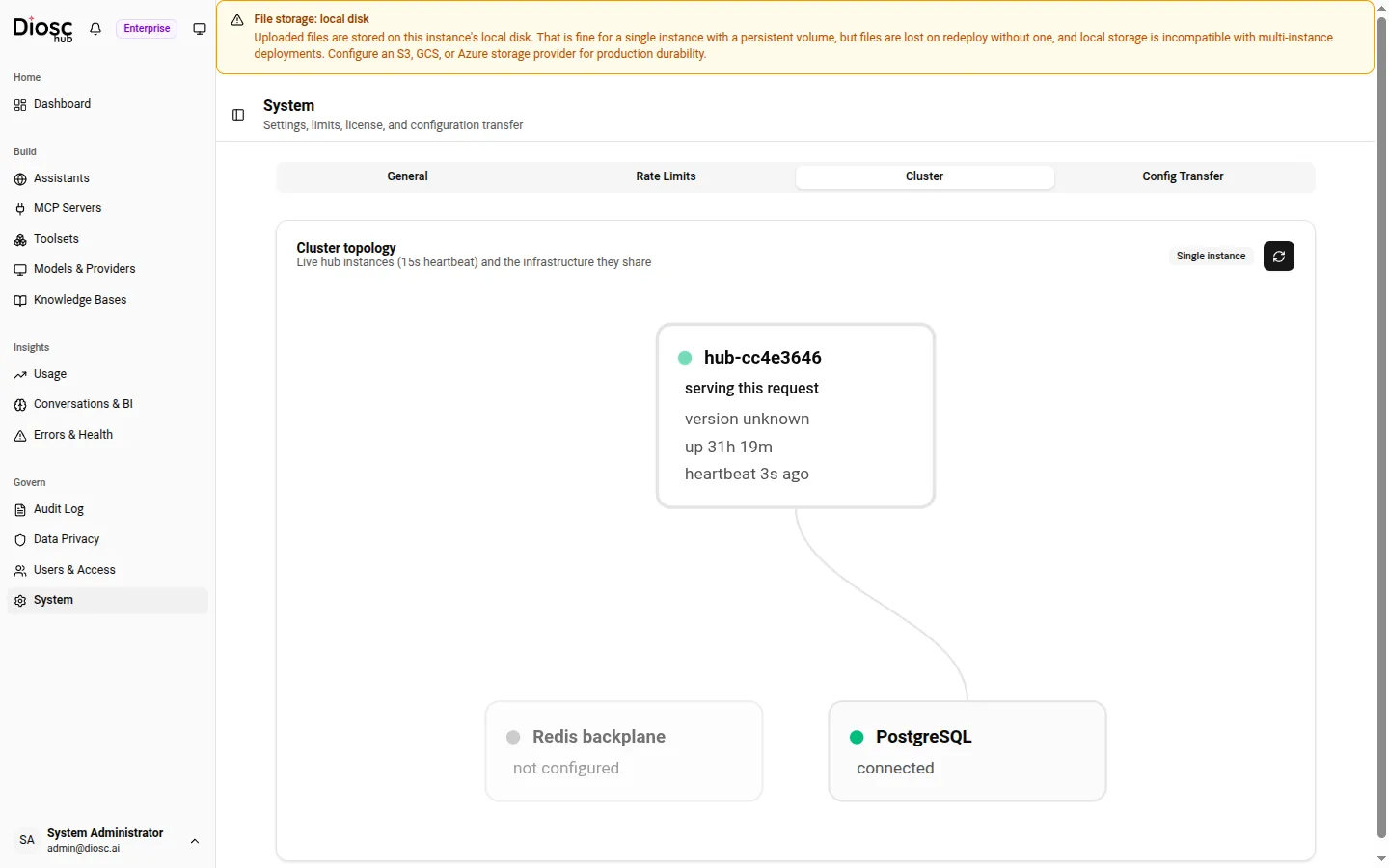
The System → Cluster tab renders this topology live — every instance heartbeats every 15 seconds, and the shared Redis and Postgres show their connection state.
Reach for a cluster when you need high availability (no single instance whose loss takes DioscHub offline) or more throughput than one instance provides. Running two or more instances is supported only in cluster mode — starting a second instance without it would give each its own private coordination state, and users bound to one instance would not be reachable from another.
Cluster mode is an Enterprise capability, gated on the multiInstanceFederation license. Without
that license, turning cluster mode on is a boot-time failure — the instance refuses to start rather
than run half-coordinated.
Cluster topology
Section titled “Cluster topology”A cluster is N identical instances behind your load balancer, sharing one Redis and one Postgres:
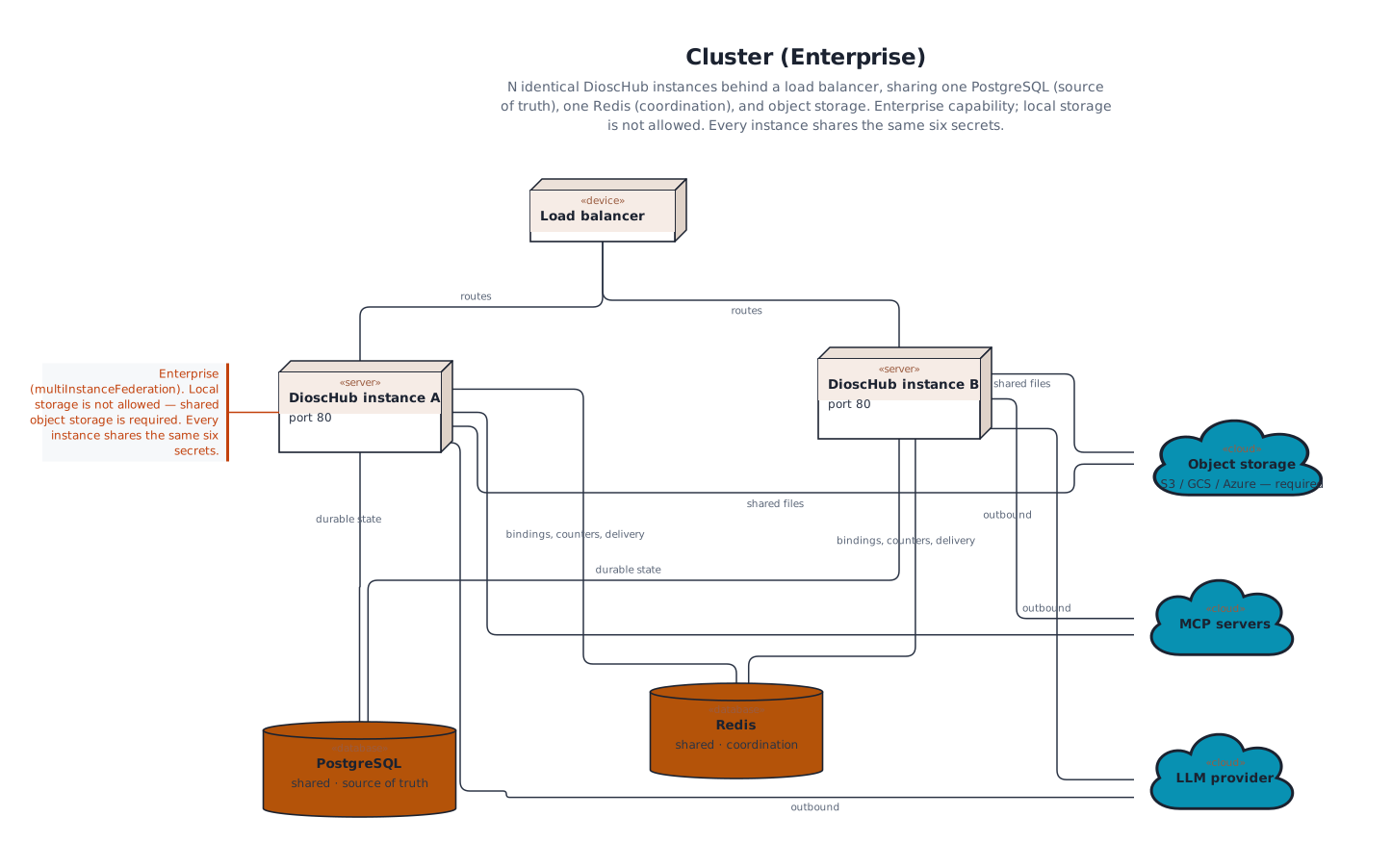
- Postgres holds the truth — every durable record, including conversation state and approvals.
- Redis holds coordination only — user-to-instance bindings, cross-instance delivery, rate-limit counters, and cache-invalidation signals. It carries no durable state; losing it costs coordination, not data.
There is no primary or master instance and no requirement for sticky sessions. Any instance can serve any request; the instances stay consistent by sharing Redis and Postgres, not by electing a leader. When an admin changes configuration on one instance — a Toolset, an Assistant, a system setting — the change propagates to every instance so they all serve the same configuration.
What cluster mode requires
Section titled “What cluster mode requires”Every one of these is checked at boot. If any is missing, the instance refuses to start.
What works single-instance, and what needs a cluster
Section titled “What works single-instance, and what needs a cluster”| Concern | Single instance | Cluster |
|---|---|---|
| Conversation state, history, approvals | Postgres — already multi-instance safe | Same, shared across instances |
| File storage | Local volume is fine | Must be shared object storage (S3/GCS/Azure) |
| Cross-instance message delivery | Not needed | Redis backplane |
| Configuration change propagation | Local | Mirrored to every instance over Redis |
| Scheduled jobs | Run locally | Run once cluster-wide via a distributed lock |
| Rate-limit counters | In-process | Shared in Redis (see below) |
Rate limits across instances
Section titled “Rate limits across instances”In a single instance, per-user and per-IP rate limits are counted in process. In a cluster, those counters move to Redis, so a user’s limit holds no matter which instance serves each request. This is another reason multi-instance is supported only in cluster mode: without the shared counter, each extra instance would multiply a user’s effective allowance.
Non-goals
Section titled “Non-goals”- Multi-region. A cluster is one region, one Redis, one Postgres. There is no geo-distribution or cross-region federation despite the license flag’s name.
- In-flight turn recovery after a crash. A turn survives connection loss on a live instance — the user reconnects and resumes. A full instance crash mid-turn loses that turn’s output, and the user re-asks. DioscHub does not migrate an in-progress turn to another instance.
- Database and Redis high availability themselves. Bring managed, highly-available Postgres and Redis. DioscHub coordinates across its own instances; it does not make your datastores redundant.
Where DioscHub sits
Section titled “Where DioscHub sits”Every instance talks to Postgres (always) and Redis (cluster only). Beyond those, its outbound calls go to the destinations you configure — your LLM provider, your MCP servers, and your object store if you use one. DioscHub does not browse the web or open arbitrary outbound connections on its own. Keeping outbound access narrow at the network layer is part of the production hardening you own.