

MCP servers & Toolsets
Building an MCP server exposes your tools to DioscHub; this page is the admin side of that — registering the server, deciding which Assistants may reach it, and keeping a large tool catalog manageable. For the server-side contract your MCP server must satisfy, see MCP server development.
Register and attach a server
Section titled “Register and attach a server”Register your server as an MCP instance — a name and its Streamable HTTP URL — as described in The MCP contract. Registering it makes DioscHub aware of the server; it does not yet expose its tools to anyone.
A server’s tools become reachable only once you attach the instance to an Assistant. That attachment is the outer boundary on what the Assistant can ever call: no Role can invoke a tool from a server that is not attached to its Assistant. Within that boundary, each Role’s tool scope decides which of the attached tools that Role’s users may actually call — see Assistants & Roles.
Organize a large catalog with Toolsets
Section titled “Organize a large catalog with Toolsets”A server with a handful of tools needs nothing more — every allowed tool is handed to the model directly. A server (or several) exposing dozens of tools is a different problem: putting the whole catalog in front of the model at once dilutes its choices and burns context. A Toolset solves that. It is a named group of related tools that the assistant loads on demand, keeping only the relevant ones in play at any moment.
Toolsets are about managing scale and context — not about permissions. What a Role may call is still governed by the Assistant’s attached servers and the Role’s tool scope. A Toolset only changes when an allowed tool is presented to the model, never whether it is allowed.
Create a Toolset (POST /admin/toolsets) with a name and description, then assign tools to it. Assignment
is per MCP instance — you map each of that instance’s tools to the Toolsets it belongs to (PUT /admin/mcp-instances/:name/toolset-assignments). A tool can belong to more than one Toolset; a tool you
assign to none stays available in the instance’s default group, so nothing is ever stranded.
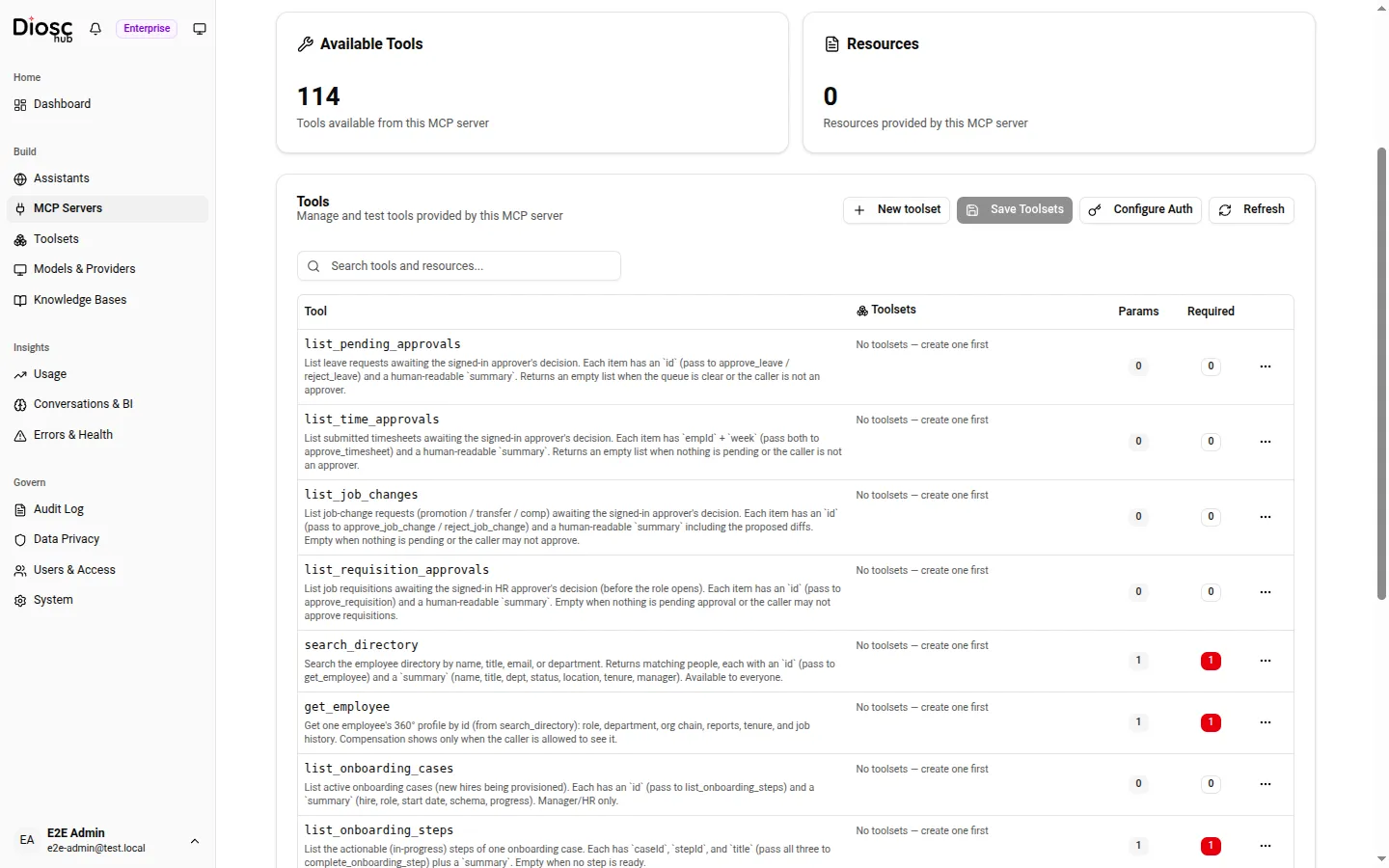
The Tools tab of a registered server — here a 114-tool HR adapter. Each tool has a Toolset-assignment control; Refresh re-discovers the catalog, and Suggest toolsets proposes groupings for the unassigned tools.
Pinned versus on-demand
Section titled “Pinned versus on-demand”- A pinned Toolset is loaded up front — its tools are always in front of the model. Pin the small set of tools the assistant needs on nearly every turn.
- An unpinned Toolset loads only when the conversation calls for it. The assistant brings a Toolset in when the task needs it and sets it aside afterward, so the model sees a focused set rather than everything at once.
Keep tool names exact
Section titled “Keep tool names exact”Wherever you name a tool — in a Role’s allowlist, in an approval rule — use the form DioscHub expects.
Across an Assistant the model sees each tool under its qualified name,
<mcpInstanceName>_<toolName>, joined by a single underscore. Per-tool configuration keyed to one instance
(Toolset assignment, approval rules) uses the bare tool name. The full rule is in Report tools by
their bare name.
Next: Models.