

Knowledge bases
Left alone, a model answers from what it was trained on. A knowledge base changes that: it is a named set of documents you upload, index, and attach to an Assistant. During a conversation the assistant searches that content and answers from it — so replies reflect your product manual, policy, or catalog, not the model’s best guess.
Create a knowledge base and add files
Section titled “Create a knowledge base and add files”Create the knowledge base in the admin portal (or over the admin API at POST /admin/knowledge) with a
name and a short description. Then upload documents to it — POST /admin/knowledge/:id/files/upload, one
file per request.
Supported document types are PDF, plain text, Word, Excel, and CSV. Each uploaded file is indexed in the background: its text is extracted, split into overlapping chunks, embedded, and stored for search. A file becomes searchable only once indexing finishes and marks it ready.
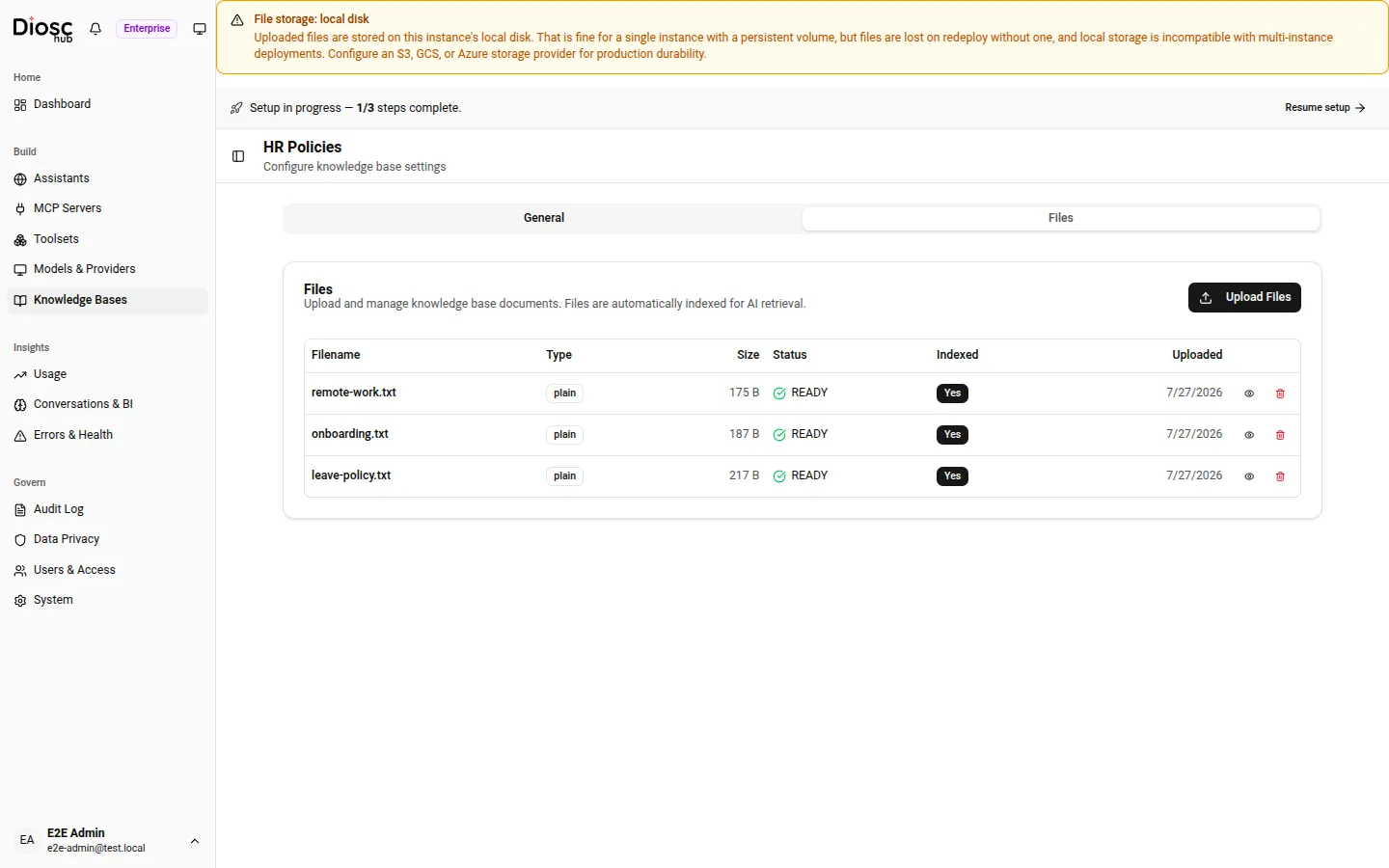
The Files tab. Each row carries a Status and an Indexed column — a file is only searched once both show it is ready.
Link the knowledge base to an Assistant or a Role
Section titled “Link the knowledge base to an Assistant or a Role”Uploading files does not, on its own, let any assistant read them. A knowledge base is a shared, organization-wide resource; you decide who sees it by linking it:
- Link it to an Assistant, and every conversation with that Assistant can search it.
- Link it to a Role, and only users resolved to that Role can search it — useful when one document set should reach some users but not others.
Link and unlink from the knowledge base’s admin page (or POST / DELETE /admin/knowledge/:id/links). A single knowledge base can be linked to many Assistants and Roles at once.
How the assistant answers from it
Section titled “How the assistant answers from it”Retrieval is a tool the model calls, not a silent paste of documents into the prompt. When a linked knowledge base is present, the assistant is told it has one and instructed to search before it answers. It issues a query, DioscHub returns the most relevant chunks from the linked, indexed files, and the model composes its reply from those passages. Only files that finished indexing are searched, and the search is scoped to exactly the knowledge bases linked to that Assistant and Role — nothing else.
Because retrieval draws only on the linked knowledge bases, the way to change what the assistant can cite is to change what you upload and link — not to re-prompt it.
Activate, deactivate, and delete
Section titled “Activate, deactivate, and delete”A knowledge base is either active or inactive. Only active knowledge bases are searched and attachable; deactivating one preserves its files but takes it out of retrieval — the assistant stops drawing on it from the next turn. Reactivate it to bring it back. Use this to retire a document set temporarily without deleting anything.
To delete a knowledge base, first remove its links — DioscHub refuses to delete one that is still linked to an Assistant or Role, so an assistant never loses knowledge out from under it by surprise. Unlink everywhere, then delete.