
Global Settings

Global Settings is where super-admins configure system-wide defaults: plugin instances, resource pricing, rate limits, and BI classification.

note

The Settings page requires Super-Admin role access.
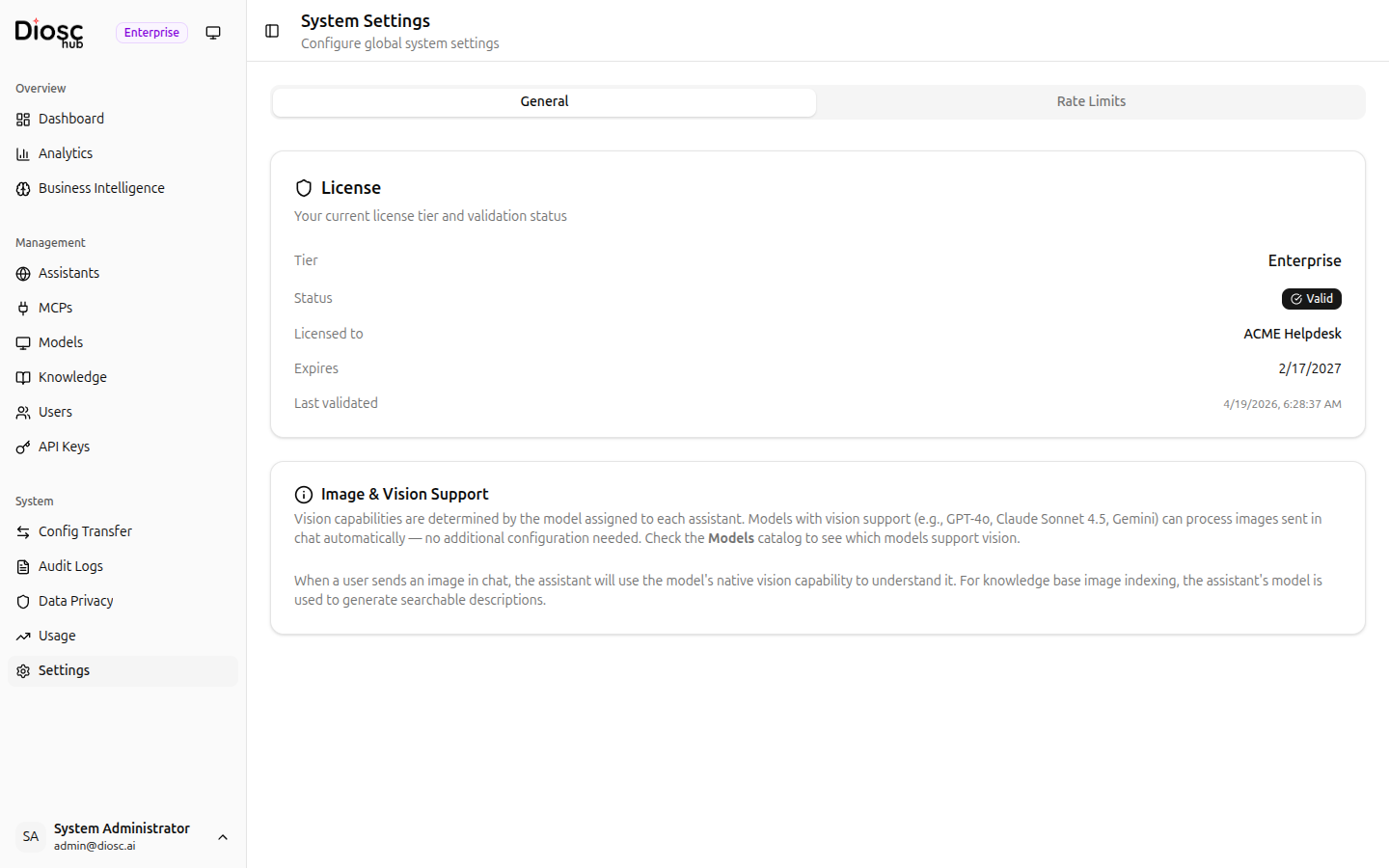
General Settings

The settings page is organized into tabs.

tip

For model catalog and provider credentials management, see Models.

Plugin Instances Tab

Manage global plugin instances that provide file storage, embeddings, vector search, sandboxing, document processing, and file generation.

Plugin Instances Tab

Plugin Types

TypeDescription
StorageFile storage backends
EmbeddingText embedding models
Vector StoreVector databases for semantic search
ProcessorDocument parsing and extraction
GeneratorFile generation (PDFs, images, etc.)
SandboxSandboxed code execution environments

Filtering

Filter by plugin type using tabs: All, Storage, Embedding, Vector Store, Processor, Generator, Sandbox.

Managing Instances

  • Browse Plugin Classes — View available plugin classes and their capabilities
  • Create Instance — Create a new instance from a plugin class
  • Edit — Modify instance configuration
  • Test Health — Verify the instance is working
  • Set as Default — Make this instance the system default for its type
  • Delete — Remove the instance

Each instance shows its name, description, type, plugin class, status (Active/Default/Inactive), and tags.

Resource Pricing Tab

Configure pricing rules for resource consumption tracking and billing.

Pricing Table

Filter by resource type (All, LLM, Embedding, Plugin) using tabs.

Each configuration shows:

ColumnDescription
ResourceResource name and type
Pricing MechanismSubscription, Flat, or Tiered
RatesSummary of pricing rates
Reset PolicyWhen usage counters reset
LimitsSoft and hard usage limits
StatusActive/Inactive

Pricing Mechanisms

MechanismDescription
SubscriptionFixed cost per period
FlatSimple rate per unit
TieredVolume-based pricing with multiple tiers

Adding a Configuration

Click Add Configuration to create a pricing rule.

Basic section:

  • Resource type, ID, display name, status

Pricing section:

  • Pricing mechanism, rates, tiers (for tiered pricing), reset policy

Limits section:

  • Soft limit (warning threshold by quantity or cost)
  • Hard limit (maximum allowed by quantity or cost)
  • Alert webhook URL for limit notifications

Seed Defaults

Click Seed Defaults to auto-populate pricing configurations for all registered models based on their input/output costs.

Rate Limits Tab

Configure system-wide request rate limiting.

Global Configuration

  • Enable/Disable toggle for global rate limiting
  • Request Limits:
    • Per Second (burst limit)
    • Per Minute (sustained limit)
    • Per Hour (quota limit)
  • Upload Limits: Per Minute, Per Hour
  • Download Limits: Per Minute, Per Hour

Override Configurations

A table showing assistant-specific or role-specific rate limit overrides.

info

Rate limits follow a resolution order: Role → Assistant → Global → Environment Defaults. The most specific matching limit applies.

Business Intelligence Tab

Configure BI classification and knowledge gap detection.

Classification Settings

SettingDescription
Enable ClassificationToggle automatic conversation classification
Classification ModelLLM used for classification (models grouped by Budget/Standard/Premium with cost displayed)
Classification ScheduleWhen to run classification (presets: Hourly, Every 6 hours, Daily, Weekly, or custom cron)
Batch SizeNumber of sessions to classify per batch

Knowledge Gap Detection

SettingDescription
Enable Gap DetectionToggle automatic knowledge gap detection
Similarity ThresholdHow similar questions must be to group together (slider: 50–99%)
Embedding ModelModel used for semantic similarity matching
  • Classification Model: Use a budget model (e.g., Claude Haiku) for cost-effective classification
  • Schedule: Daily at 2 AM to avoid peak usage hours
  • Batch Size: 30–50 sessions balances throughput and API costs
  • Similarity Threshold: 85% is a good starting point; increase if getting too many false positives

Next Steps