Model Configuration
Select and configure the AI model used by this assistant.
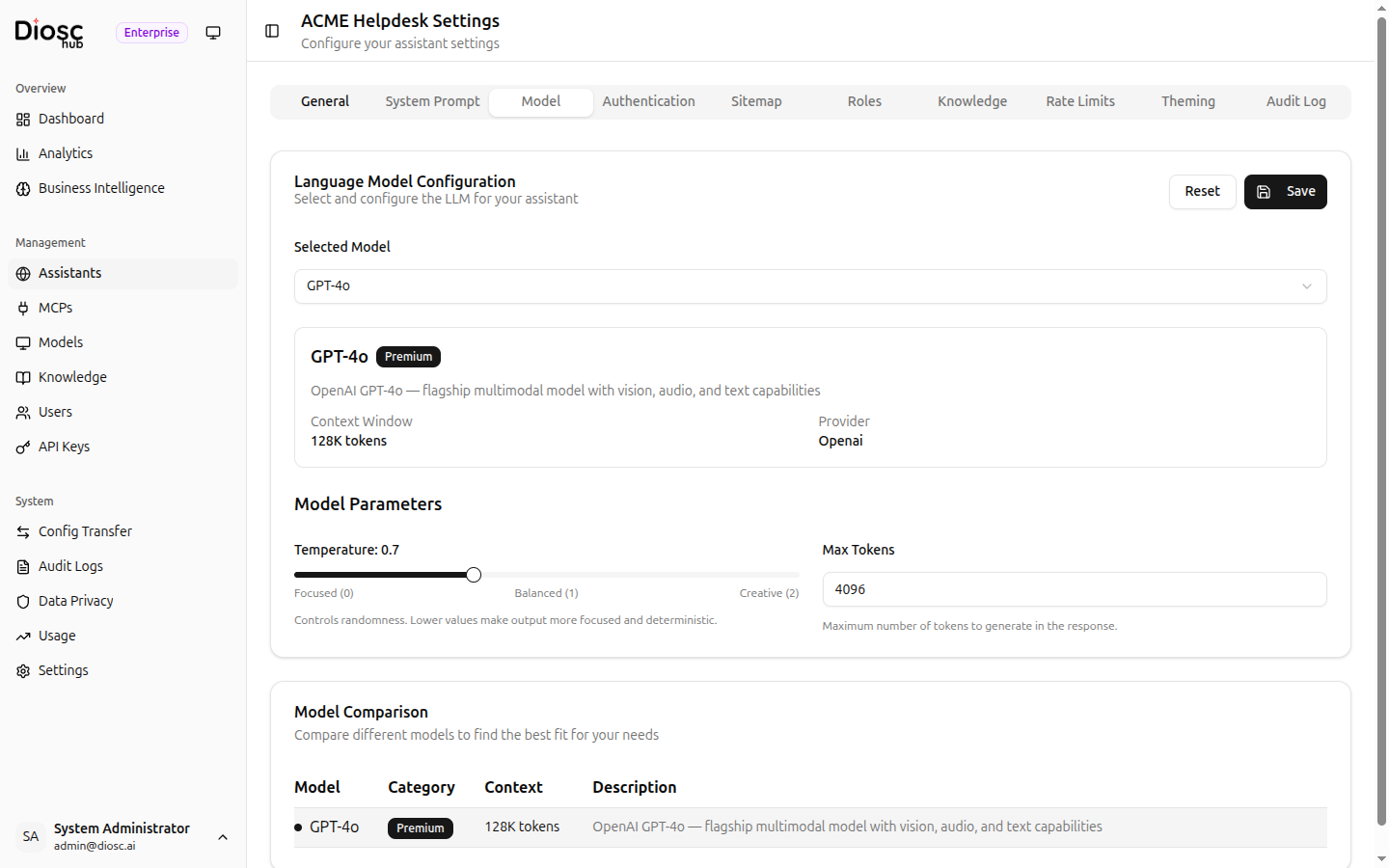
Selected Model
Choose a model from the Selected Model dropdown. Models are grouped by tier:
| Tier | Use Case |
|---|---|
| Premium | Complex reasoning tasks requiring the highest accuracy |
| Standard | General-purpose assistance |
| Budget | Simple, high-volume tasks where efficiency matters |
Model Details
When a model is selected, a details card shows:
| Field | Description |
|---|---|
| Provider | The LLM provider (e.g., OpenAI, Anthropic) |
| Context Window | Maximum input context size (e.g., 128K tokens) |
| Description | Brief overview of the model's capabilities |
Model Parameters
| Setting | Description |
|---|---|
| Temperature | Controls response randomness. Drag the slider between Focused (0), Balanced (1), and Creative (2). Lower values produce more deterministic output. |
| Max Tokens | Maximum number of tokens to generate in the response (1--8192) |
Model Comparison
A side-by-side comparison table at the bottom of the tab shows all available models with their category, context window size, and description. Use this to evaluate trade-offs between capability and context size when choosing a model.
Best Practices
- Use Budget models for simple, high-volume tasks
- Use Standard models for general-purpose assistance
- Use Premium models for complex reasoning tasks
- Lower temperature for factual or deterministic tasks, raise it for creative tasks
- Set Max Tokens high enough for the expected response length, but avoid unnecessarily large values